


Upgrade - Boost Money
4.254.00 Reviews
App Specs
- Version
- 1.3.0
- Updated On
- License
- Free
- Downloads
- 50,000+
- Developer
- Upgrade, Inc.
- Categories
- Finance
- Platform
- Android
Screenshots
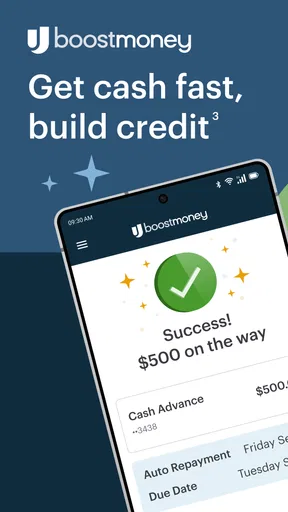
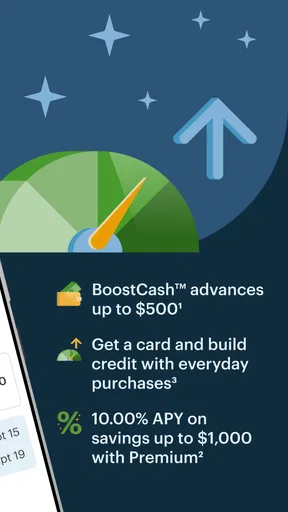
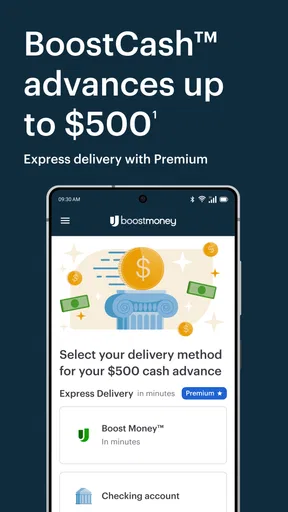
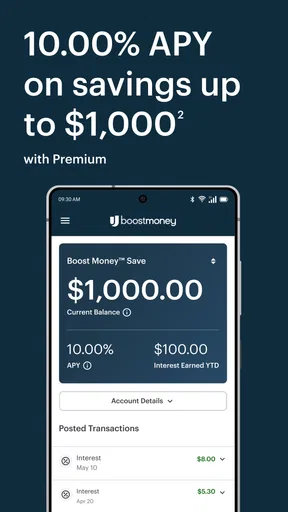
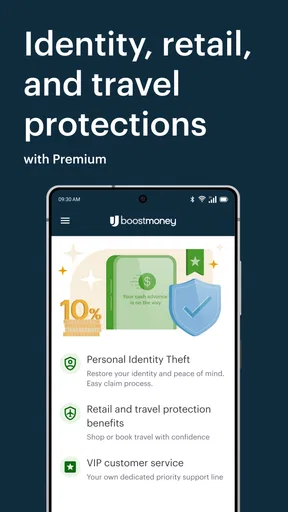
 Analysis by AppCompare
I approached Upgrade - Boost Money as a practical finance app rather than a flashy budgeting experiment. Its promise is easy to understand: bring spending, saving, and credit-building into one place. That combination is useful for people who want fewer financial tools to manage, but it also raises an important question: does combining these jobs make everyday money management simpler, or does it make the app feel too broad?
After looking at how the app fits into normal routines, I see it as a better match for someone who wants a central starting point than for an experienced user who already has a carefully tuned system. It is free, aimed at Everyone, and developed by Upgrade, Inc. The current release is version 1.3.0, and it requires Android or iOS 12 or later. Those details make it accessible to a wide range of phone users, but accessibility alone is not the same as suitability.
What I would consider before moving my money routine into it
The first decision is whether you want one financial hub or a collection of specialist tools. A dedicated budgeting app may be better for detailed category planning. A traditional bank app may be more familiar for account servicing. A credit-focused product may make more sense if improving credit is your only priority. Upgrade - Boost Money sits between these approaches, which is both its main appeal and its main compromise.
I would also think about how much guidance I actually need. Someone who checks balances, watches spending, and wants a clearer routine may appreciate a consolidated experience. Someone who already tracks every bill in a spreadsheet could find a broad finance app unnecessary. The app is most convincing when it reduces the number of places I need to check, not when I expect it to replace every financial decision I make.
Its public reception gives a useful, though limited, signal. The app holds a 4.1 average from 172 ratings and has passed 50K+ installs. I would read that as evidence of meaningful interest rather than proof that every user will have the same experience. Finance apps are especially personal: a workflow that feels reassuring to one person can feel restrictive or incomplete to another.
My practical test would be simple. Can I open it and quickly understand where my money is going? Can I turn that information into a habit rather than a one-time check? And does the credit-building angle fit my situation, instead of distracting me from basic cash-flow control? Those questions matter more than the store summary, which describes the app as “Spend, Save, Build Credit.”
It works best when you need a single starting point
The strongest idea here is consolidation. Spending, saving, and credit are often treated as separate topics, even though they affect one another. A person who spends without a plan may struggle to save. A person who cannot keep up with payments may see credit as an abstract score rather than a result of daily behavior. Putting these themes together can make the relationship easier to notice.
Worth Reading Before You Choose

EA SPORTS FC Mobile 26 Is a Bigger Football Game, but It Takes Time

Flipboard Shows What News Apps Must Do Beyond the Feed

Switching to Android Auto Means Rethinking Your Driving Routine

Google Calendar Makes a Crowded Week Easier to Manage

Ludo King Makes the Most of the Minutes Between Plans

Baby Panda World Brings Quick Play to Modern Phones, but Its Game Library Feels Busy
In my view, the app is particularly suitable for someone beginning to take personal finance seriously. It can serve as a regular checkpoint: look at current spending, think about the next saving goal, and keep credit-related behavior in the same mental picture. That is more useful than downloading several disconnected apps and hoping that the user creates a system between them.
There is also a psychological benefit to reducing friction. If checking money requires opening several services, many people postpone it until a problem appears. A single app can make short, frequent check-ins feel more manageable. I would rather spend a few minutes reviewing my position regularly than wait until the end of the month and discover that small purchases have quietly consumed the money I intended to save.
That does not mean I would treat the app as an automatic financial adviser. I would still verify important transactions, review recurring commitments, and make decisions based on my own circumstances. The value is in making information easier to revisit, not in handing over responsibility for the entire financial plan.
A realistic way I would use it during a busy week
Imagine getting paid, covering the usual necessities, and then using the remaining money casually throughout the week. By the weekend, the balance may look lower than expected, but the reason is not obvious. In that situation, I would use Upgrade - Boost Money as a short review point rather than a full accounting project.
I would check the spending picture, identify whether the problem came from one unusually large purchase or several smaller ones, and decide what needs attention before the next pay cycle. If I had a saving goal, I would treat it as a reason to adjust future spending rather than simply feeling disappointed about the current result. The credit-building aspect would remain part of the broader routine, not an excuse to ignore cash flow.
This workflow is deliberately modest. I am not trying to create a perfect financial forecast from a phone screen. I am trying to catch patterns early enough to change them. That is one of the app’s more useful potential roles: a low-effort checkpoint between “I should manage my money better” and actually developing a repeatable habit.
A less obvious tip is to use the app at a fixed moment connected to an existing routine, such as after reviewing a weekly calendar or before planning weekend spending. The app cannot create discipline by itself, but attaching it to a habit makes its combined spending, saving, and credit focus more practical. Without that routine, even a well-designed finance tool can become another icon that gets ignored.
Where the combined approach has real advantages
Upgrade - Boost Money makes the most sense for users who dislike switching contexts. If spending is reviewed in one app, saving in another, and credit in a third, the user has to remember how those pieces fit together. A combined product can make the relationship visible and reduce the mental cost of keeping up.
It may also help people who need a gentle introduction to financial organization. A specialist budgeting tool can be powerful but intimidating, especially when it presents many categories, rules, and customization choices before the user has developed a basic routine. A broader finance app can feel less like a project and more like a place to begin.
The free price is important here. Trying a finance workflow without an upfront purchase makes it easier to decide whether the approach suits me. I would still pay attention to any account-specific terms and to how the product handles my particular financial needs, but the absence of a purchase price lowers the barrier to testing the experience.
The age rating of Everyone also supports its general accessibility. That does not mean every financial situation is equally well served, but it does make the app easier to consider for a broad audience. Families, students, first-time budgeters, and people rebuilding their routines may all approach it differently, so the useful question is not whether it is “for everyone” in a literal sense, but whether its combined focus matches the user’s goals.
Where a different category may be the better choice
I would not choose this app automatically just because it covers several financial themes. If my priority were detailed envelope budgeting, I would look toward a dedicated budgeting product. That kind of tool is usually the better conceptual fit when I need strict category limits, a carefully planned monthly allocation, or deep control over every part of a household budget.
If my main requirement were ordinary banking tasks, I might prefer the app provided by my existing bank. Familiar account access, established payment routines, and direct servicing can matter more than having spending, saving, and credit discussed together. A finance hub is not necessarily a replacement for a primary banking relationship.
There is a similar distinction with credit-focused services. If I am mainly trying to understand credit behavior, monitor changes, or work through a specific credit issue, a specialist product may offer a more focused experience. Upgrade - Boost Money is more appealing when credit is one part of a wider money routine rather than the only subject I care about.
Another trade-off is depth versus simplicity. A consolidated app can reduce the number of tools I use, but it may not satisfy someone who wants extensive customization or highly specialized reporting. I would rather recognize that before switching than become frustrated later because I expected a general finance app to behave like a professional budgeting system.
What the developer and release details tell me as a user
Upgrade, Inc. is the developer behind the app, and the release is dated February 27, 2026. The current version, 1.3.0, suggests that the product is still at a relatively early stage of its visible release history. I would approach that with balanced expectations: an early product can feel focused and approachable, but I would also want to see how consistently it develops over time.
The install count of over 50K shows that the app has reached a real audience without making it look like an already universal finance platform. That matters when deciding whether to rely on it for a central routine. I would begin with observation and small habits, then expand my use after I am comfortable with the workflow.
For device compatibility, the minimum operating-system requirement is version 12. Anyone using an older phone should check compatibility before planning a switch. For supported devices, the requirement is not especially demanding, but finance apps still deserve a careful setup process because they involve information I would not want to handle casually on an unfamiliar device.
The switching cost is more than installing an app
Moving to a new finance app is not just a download. The real cost is rebuilding a habit and deciding which existing tools can be retired. I would not uninstall my current budgeting or banking apps immediately. First, I would use Upgrade - Boost Money alongside them long enough to learn whether it actually improves my routine.
My transition would begin with one clear purpose: regular spending review. Once that felt natural, I would decide whether the saving and credit elements added useful context. This staged approach avoids a common mistake, which is trying to reorganize every part of personal finance on the same day. If the new system feels complicated, I may not know whether the problem is the app or the unrealistic transition plan.
A second practical tip is to define the information I need before opening the app. For example, I might ask, “What changed since my last review?” rather than browsing aimlessly. That turns the app into a decision tool. It also helps reveal whether the combined design is genuinely saving time or merely presenting more financial topics in one place.
I would keep a backup habit during the transition as well. Important bills, scheduled commitments, and personal records should not depend on my memory of a new interface. This is not a criticism unique to Upgrade - Boost Money; it is sensible whenever financial information moves from a familiar workflow to a new one.
Who should try it first
I would recommend starting with Upgrade - Boost Money if you want a free finance app that connects daily spending with saving and credit habits, especially if managing several separate tools has become tiring. It is also a reasonable candidate for someone who wants a straightforward first step into more regular money check-ins.
I would be more cautious if you need advanced budgeting control, a highly specialized credit service, or a complete replacement for your bank’s own app. In those cases, the broad focus may feel less useful than a product built around one specific job. The app’s appeal depends on whether you value connected coverage more than maximum depth in a single area.
It is also not the right choice for someone who expects an app to make financial decisions automatically. The best results will still come from reviewing information, setting personal priorities, and changing behavior when the numbers show a problem. The product can support that process, but it cannot remove the need for judgment.
My final recommendation
Upgrade - Boost Money is worth trying when you want one accessible place to connect spending, saving, and credit-building habits. I like its decision-making potential more than the idea of treating it as a complete replacement for every financial service. Its free price and broad Everyone rating make experimentation easy, while the 4.1 average indicates a generally positive reception with enough room for individual differences.
I would start slowly, keep existing tools available, and use the app for a specific weekly review. If that routine makes my money easier to understand, the combined design is doing its job. If I need detailed category control or a specialist credit workflow, I would move to a more focused alternative instead of forcing this app to do something it was not designed to be.
My recommendation is therefore practical rather than absolute: try it as a central financial checkpoint, not as a promise that one app will solve every money problem. For users who value simplicity and connected habits, that distinction is exactly where Upgrade - Boost Money can earn a place on the phone.
Pros
- Simple interface makes tracking upgrades and money boosts easy.
- Useful for planning spending and prioritizing the most valuable upgrades.
- Quick calculations help compare costs before committing resources.
- Clear progress feedback makes financial goals feel more manageable.
- Suitable for users who prefer a lightweight money-management experience.
Cons
- Some features may require in-app purchases or premium access.
- Results depend on accurate information entered by the user.
- Limited customization may not suit advanced budgeting needs.
- Frequent reminders could feel intrusive for some users.
- Privacy details should be checked before entering sensitive financial data.
FAQs for Upgrade - Boost Money
What is Upgrade - Boost Money, and how does it work?
Upgrade - Boost Money is a financial app designed to help eligible users access personal credit products and manage their finances from a mobile device. After creating an account, you may be asked to provide personal and financial information so the service can evaluate available offers. Depending on your profile, the app may display loan, card, or other financial options, along with their terms before you accept anything.
Is Upgrade - Boost Money available to everyone?
No. Availability and eligibility depend on several factors, including your location, age, identity verification, credit history, income, and other information reviewed during the application process. Installing the app does not guarantee approval or access to a specific product. Requirements and available services can also change, so it is important to read the current eligibility rules and offer details shown inside the app before continuing.
Does Upgrade - Boost Money charge fees or interest?
Financial products offered through Upgrade may include interest, origination fees, late fees, or other costs, depending on the product and the applicant’s approved terms. The exact annual percentage rate, repayment amount, fee structure, and due dates should be reviewed carefully before accepting an offer. Never rely only on promotional wording; compare the total cost of borrowing and confirm all terms in the final agreement.
Is Upgrade - Boost Money safe to use?
The app may use account security features such as encrypted connections, identity verification, and protected login procedures, but users should still take precautions. Download it only from an official app store, use a strong and unique password, avoid sharing verification codes, and review requested permissions. Because the app handles sensitive financial and personal data, read its privacy policy to understand how information may be collected, used, and shared.
Can I manage repayments and account activity through the app?
In supported regions and for eligible products, the app can provide tools for viewing balances, checking payment schedules, reviewing transactions, and managing account settings. Some users may also be able to make payments electronically or receive account notifications. Features can vary by product and location, so confirm the available repayment methods and deadlines. Missing a payment may lead to additional charges or affect your credit profile.


